 jaytail
Features
From log file to answer in seconds.
Open a file or a pipe, find the rows that matter, export them or hand the file to a colleague. Three steps, all in the terminal, no setup.
Open
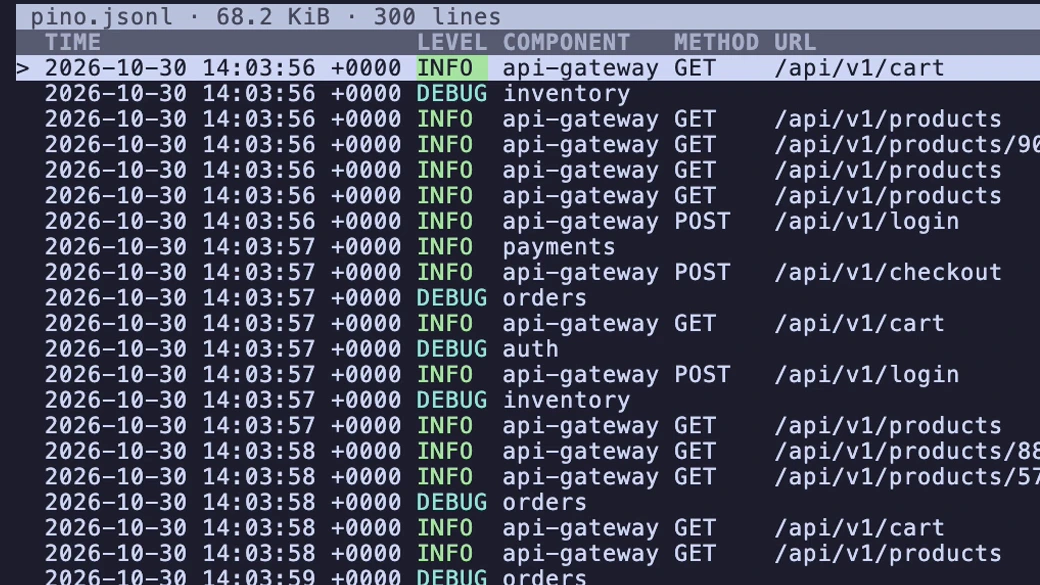
A file, a pipe or nothing at all. With no argument jaytail opens a file picker. Columns are recognized from the data: time, level, message and the common fields, for zerolog, zap, logrus, slog, pino and similar output.
$ jaytail checkout.jsonla file$ kubectl logs deploy/api | jaytaila pipe$ jaytailthe file picker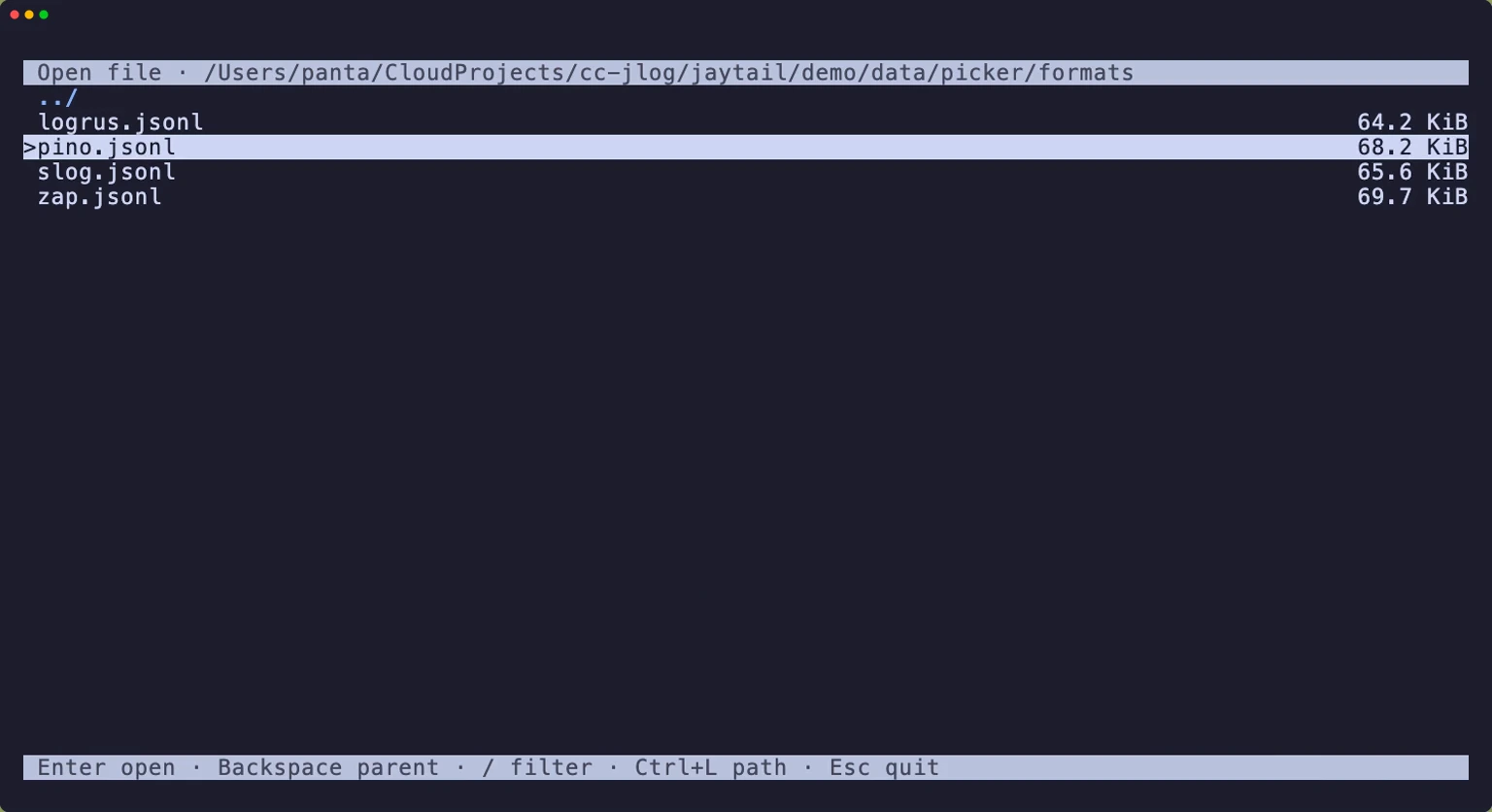
Explore and filter
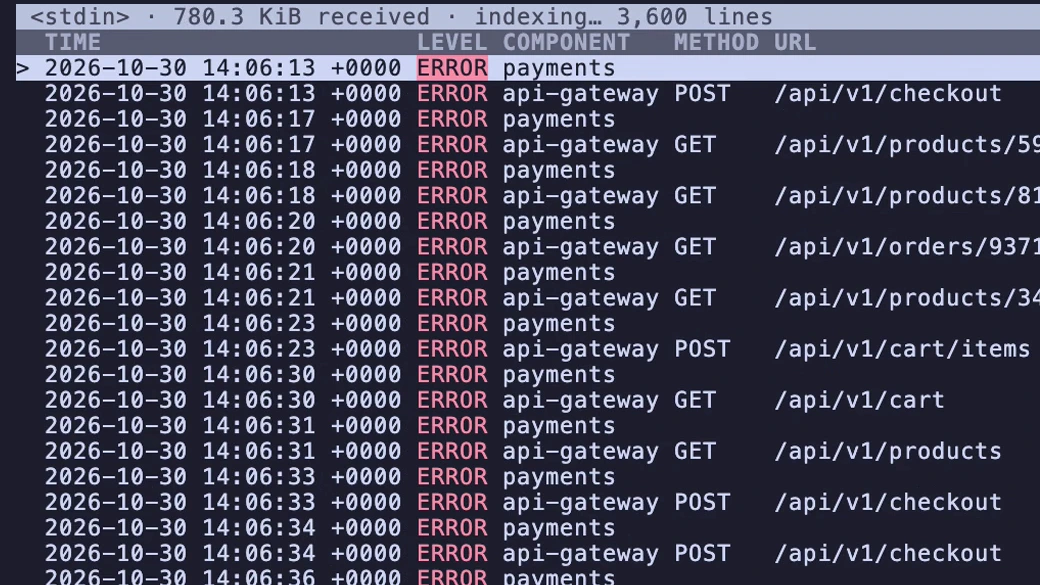
Search highlights matching rows; filters hide the rest. Search any text or a field path, nested fields included. Set a level threshold, narrow by field, then show only the matches.
/url:checkoutsearch a fieldMmatching rows only284 rows of 5,3732WARN and above · =exactly this levellevel filterfcomponent:paymentsfield filter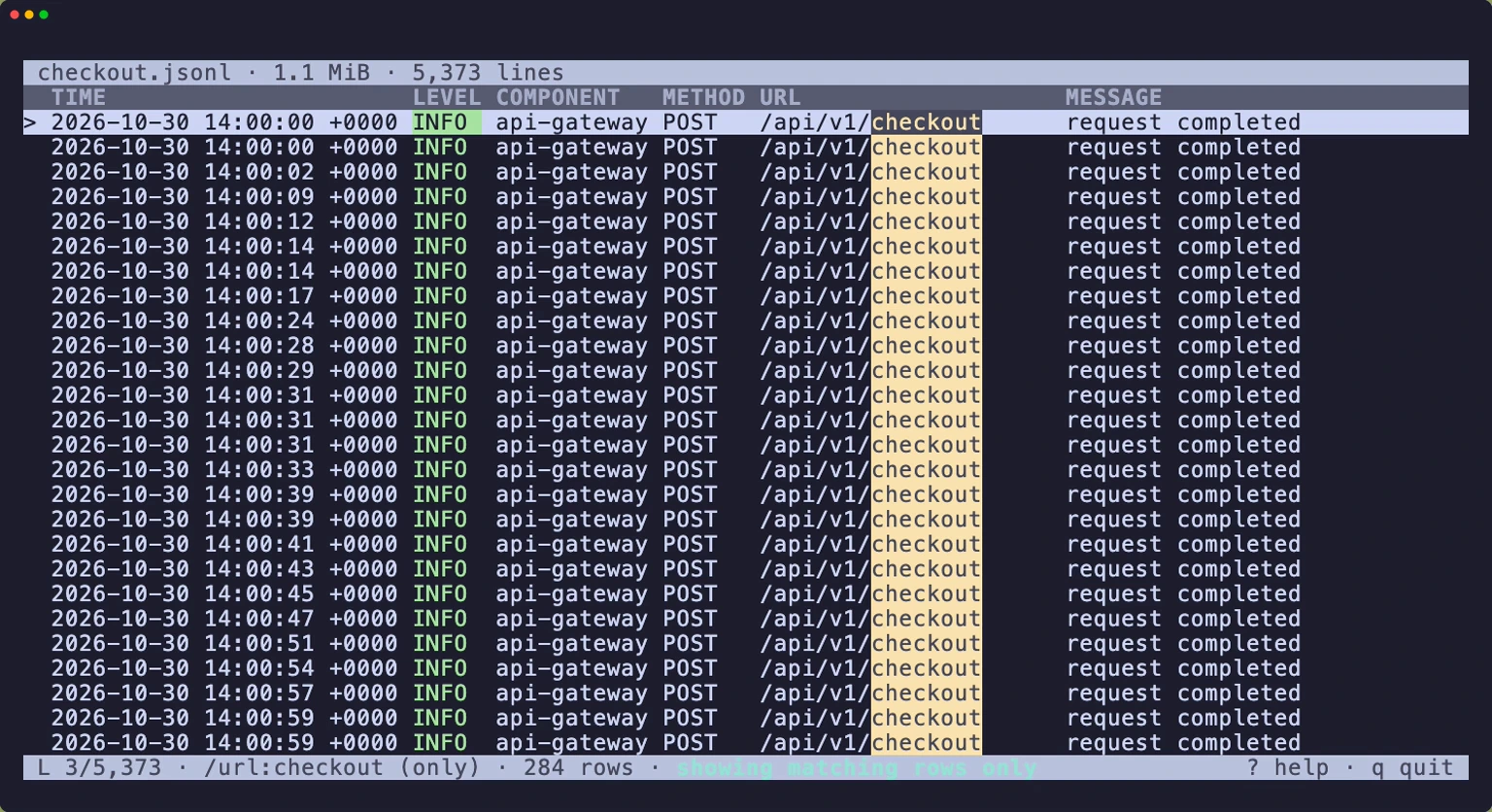
Share, in either direction
Ask for a file or offer one. Your side creates the ticket; the other side answers it with the free binary and one command. The transfer is encrypted end to end, verified with a checksum, and goes directly between the two machines or through the jaytail relay when it has to.
$ jaytail requestask for a file$ jaytail send jaytail1… /var/log/app.jsonlon their machine$ jaytail send --qr checkout.jsonloffer a file$ jaytail receive jaytail1…on the other machine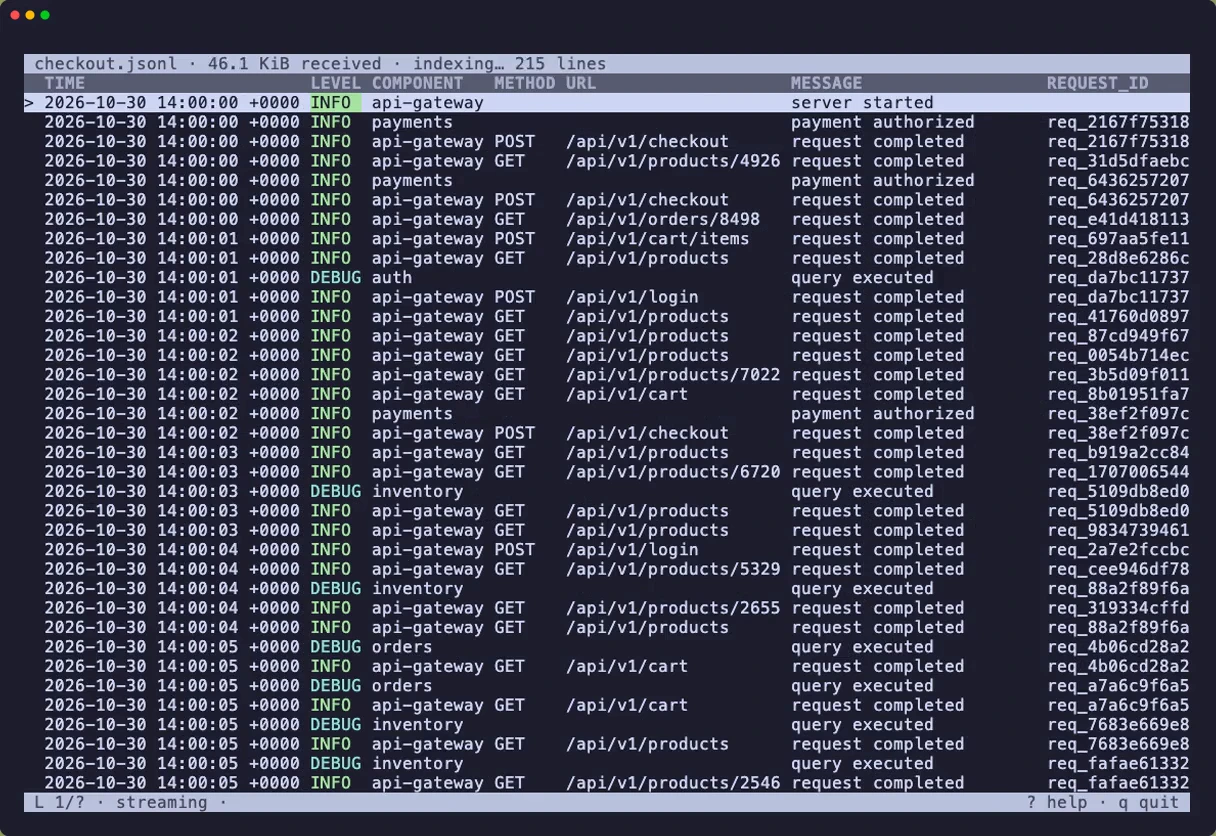
In the viewer
Everything a log pager should do, and nothing it shouldn't.
Formats recognized, no configuration
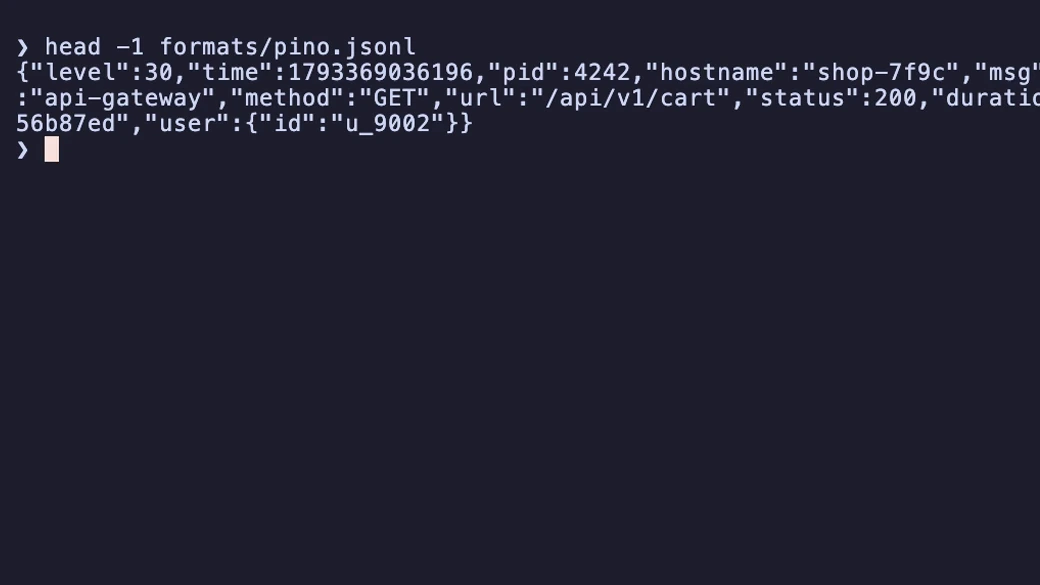
Time, level and message are found by name (time, ts, @timestamp, level, severity, msg…). Levels are normalized to TRACE through PANIC, including pino's and bunyan's numeric levels. RFC 3339 and Unix epochs in seconds, milliseconds, microseconds or nanoseconds are shown in your local time.
Pipes and standard input
Piped input is spooled to a private temporary file, so you can scroll back through everything received so far while more arrives. kubectl logs, journalctl -o json, anything that prints JSON lines.
Search syntax
timeouttext anywhere in the line, keys includedservice:paymentsthe decoded value of a fieldrequest.id:abca nested fieldrequest\.id:abca key with a dot in itn/Nnext and previous match
Filters
Level threshold or exact level, plus any number of field filters (case-insensitive substring of the decoded value). Filters combine with AND, keep file order and physical line numbers, and the status bar counts the matching rows. From the command line: --level warn, --level =error.
Record view
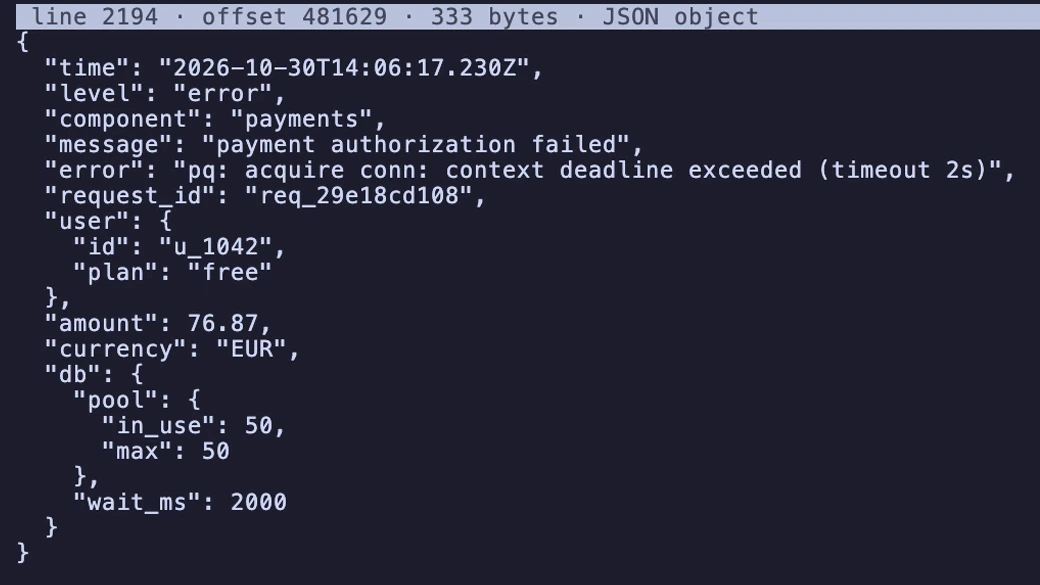
Open any row and read the whole JSON object, pretty-printed, nested fields included. Malformed lines stay visible, marked INVALID JSON; lines over 8 MiB are shown as OVERSIZED with a preview.
Selection and copy
Mark rows one by one, select a range, or select the whole filtered view. Selections are record identities, not copies: they survive scrolling and re-filtering. y copies the original lines, byte for byte, to the system clipboard (or via OSC 52 over SSH).
Export
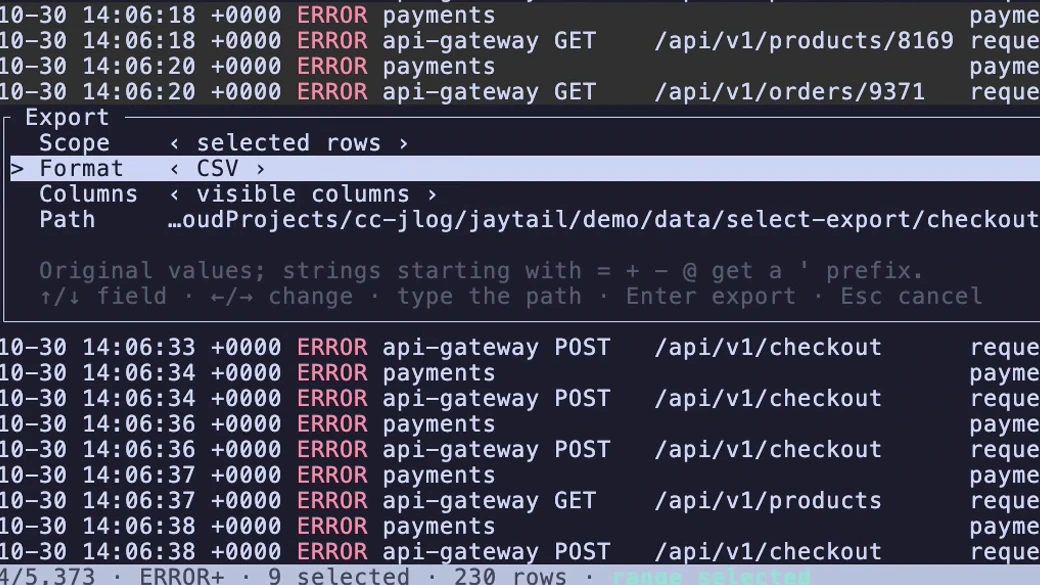
JSONL (original bytes), JSON array, CSV or a standalone HTML page, for the selection or the whole view, with visible or all columns. Exports are written to a temporary file and renamed into place only when complete. CSV values that a spreadsheet would run as a formula get a leading quote.
Plain output for scripts
When stdout is not a terminal, jaytail copies records as raw JSONL. --plain=table prints an aligned text table; --columns time,level,message picks the columns. Pipe into jq, grep, less or your own tools.
Browser mode
--web serves the same table, filters, search, selection and export to your browser, on 127.0.0.1 only, behind a random session token. It never listens on other interfaces and never browses the filesystem.
Fast on huge files
A 10 GiB file with 54M lines opens at once; the index is built in the background while you work. First screen in under 300 ms with a cold page cache, about 10 MiB of memory whatever the file size, and a 4 MiB binary for the Minimal build.
Read-only, by design
jaytail never modifies its input. Files are opened as a snapshot and the viewer tells you if the file grew or changed. Log content is untrusted: escape sequences and control characters are shown as visible escapes, never sent to the terminal.
Keys
Keyboard-driven, learnable in a minute.
| Key | Action | Key | Action |
|---|---|---|---|
| /Ctrl+F | Search text, or field:text | Space | Mark or unmark the row |
| n/NF3/Shift+F3 | Next/previous match | v | Start/finish a range selection |
| M | Show only matching rows (toggle) | Ctrl+A | Select all rows of the current view |
| f | Field filter field:text (empty clears) | u | Clear the selection |
| 123 | Level filter: all, WARN+, ERROR+ | y | Copy selected (or focused) lines |
| L | Choose the level filter | e | Export dialog |
| = | Level filter: at least / exactly | c | Column chooser |
| Ctrl+G:N | Go to physical line N | o | Open another file |
| Enter | Open record detail | ?F1 | Help |
Press ? in jaytail for every key, or read the manual: jaytail man. Shell completions for bash, zsh, fish, PowerShell and elvish: jaytail completions SHELL.
One-time purchase. Use it on all your machines.
Minimal for local investigation, Complete for peer-to-peer transfers. Launch prices until December 31, 2026.
- No subscription
- License by e-mail within one business day
- No login
- Free for the other party